Case study · Mobile app · Student work
Crews were running on
emailed spreadsheets.
Air Crew puts the schedule, shift swaps, crew chat and destination briefs in one app — so a flight attendant stops piecing their week together from Excel files, WhatsApp messages and handwritten notes.
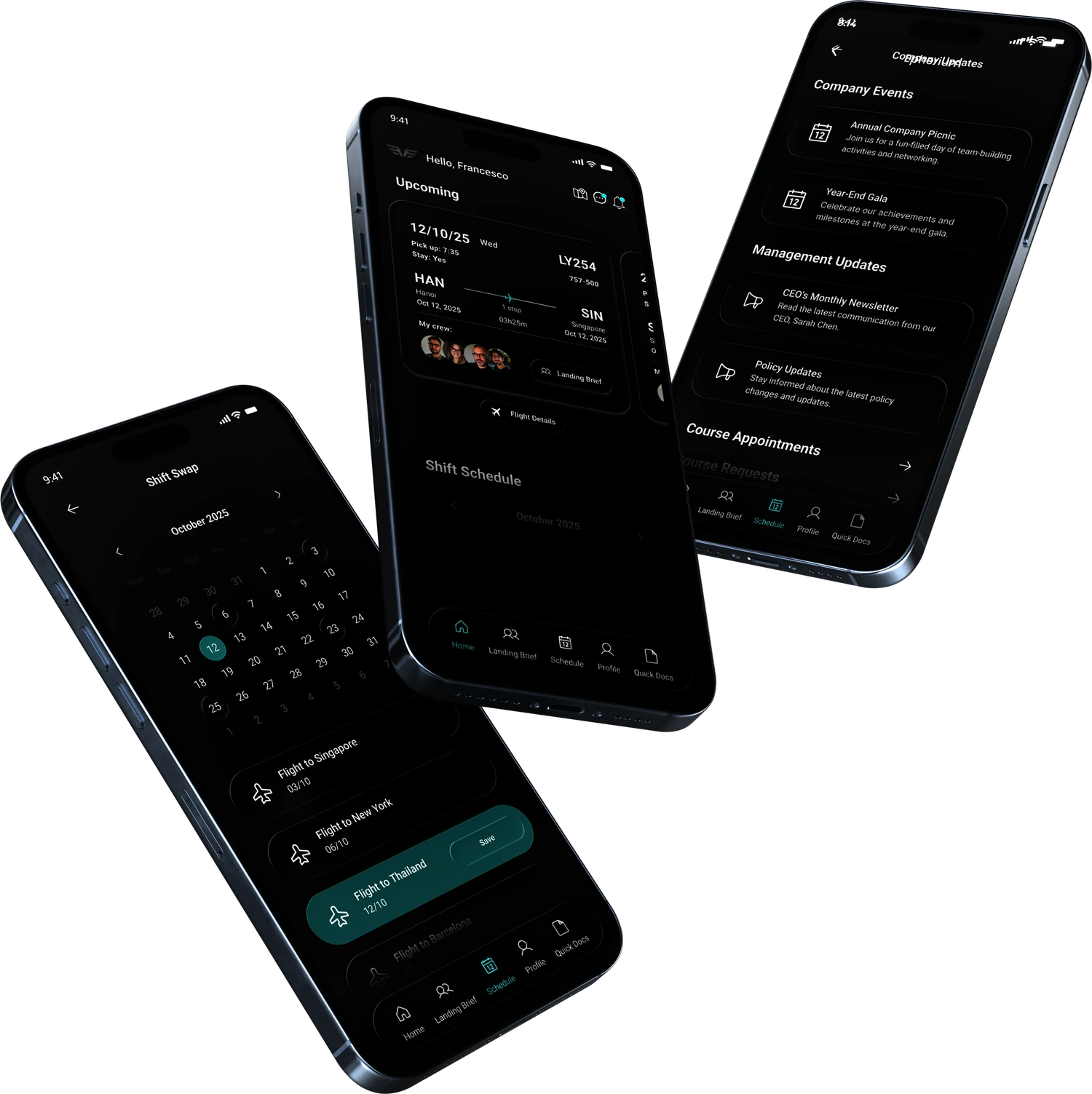
Shift Swap, Home and Company Updates. Screens I designed in Figma.
The problem
Two flight attendants, one broken workflow.
The team interviewed two working cabin crew members about how they manage their schedules. Both described the same setup — and the same failure point.
Tracking who's flying with me, who requested swaps, and remembering which version of the schedule is the latest — it's a lot.
Purser, 28. Five years leading cabin crew. Works from Excel files sent by the airline, plus manual notes.
When there's a change and no one updates it right away — there were cases where I almost missed a shift.
Flight attendant, 24. Three years on long-haul routes. Excel sheets by email, updates by WhatsApp.
Flight hours and shift info lived in spreadsheets, emails and handwritten notes.
One schedule, organised by date, flight number, aircraft and destination.
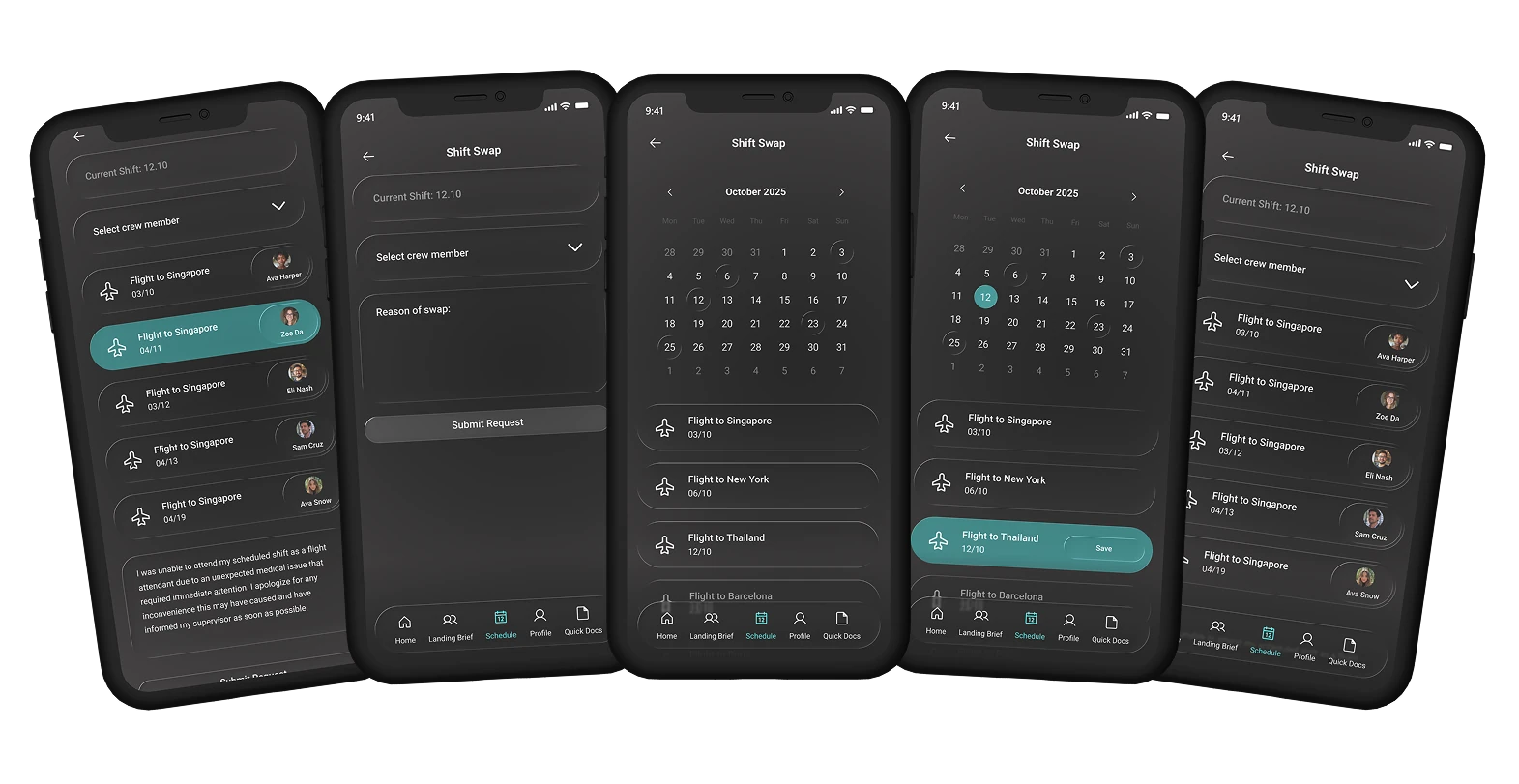
Swapping a shift meant chasing supervisors, filling forms and waiting.
Crew pick the flight and post a swap request from the schedule.
WhatsApp, Messenger and Instagram DMs — finding your team was chaos.
Every flight gets its own group chat. Just your crew, one space.
You land in a new city with no idea what to do or where to go.
Tips and warnings from crew who have actually been there.
Weather, currency and emergency contacts spread across Google and printed paper.
Stored in the crew member's account, available offline.
What I designed
Three decisions that shaped the app.
A crew network, not just a roster
Shift management alone would have answered the brief. I pushed the app further: Social Crew Linking and Peer Recommend sit next to the schedule, so crew can find each other and layover tips come from colleagues who have been to that city.
It follows the research. One participant wanted to “see my team clearly for each flight” and send group updates; the other was tired of messaging three people to arrange a swap. Both problems are social before they are administrative — so the app treats the crew as a network.
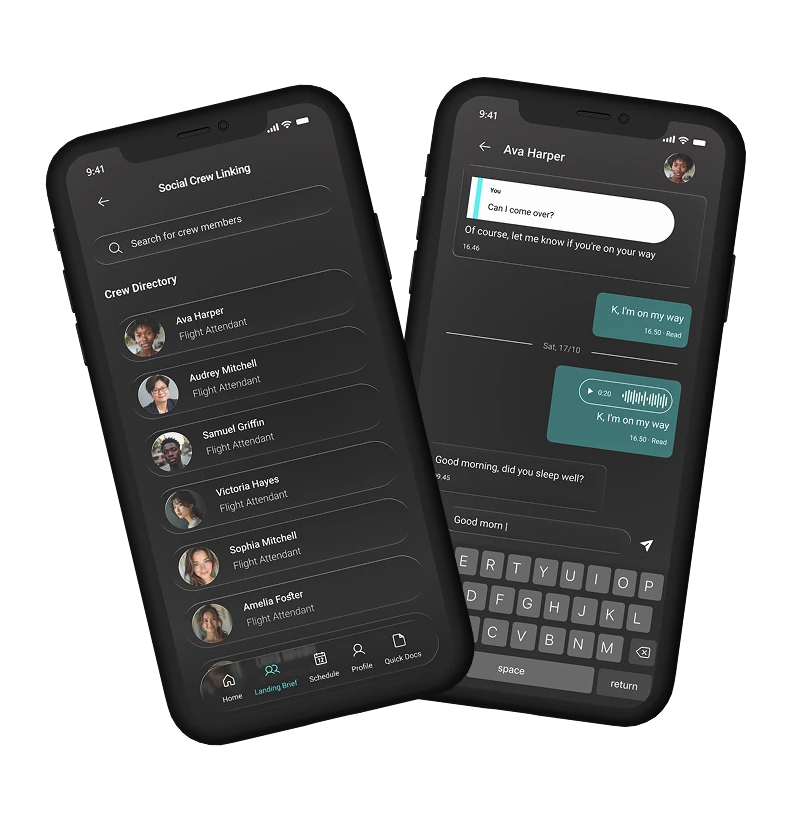
Crew can search the directory, see each colleague’s photo and role, and open a direct chat. Replies and voice notes are there for the quick back-and-forth that used to happen in WhatsApp.
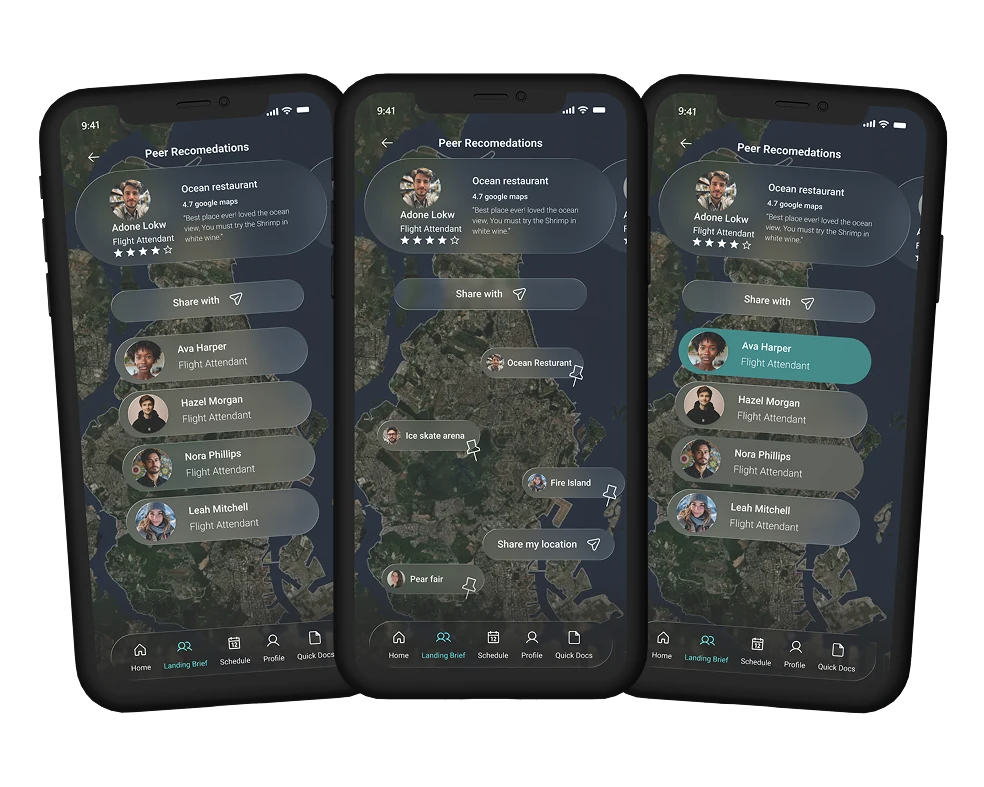
A colleague’s tip, such as a restaurant they rated 4.7 on Google Maps, sits above a map of nearby places. “Share with” sends it to the crew members you choose.
A swap is a short, clear flow
The old process cost the most time where it gave the least certainty: chasing a supervisor, filling a form, waiting. In the app a swap is a short flow on purpose: pick the flight, choose a crew member, say why, submit.
The design system came before the screens
I built the grid, type scale, colour palette, iconography and component library in Figma first. Across eleven screens and six sections that kept the app consistent and made changes cheap — a card or a nav bar gets edited once and updates everywhere.
Roboto
Roboto is a modern sans-serif font known for its mechanical skeleton and geometric forms, combined with friendly, open curves. It balances precision and approachability, making text feel both clean and easy to read.
ABCDEFGHIJKLMNOPQRSTUVWXYZ
abcdefghijklmnopqrstuvwxyz
0123456789!@#$%^&
Primary colours
Basic colours
Structure
Six destinations, everything two taps away.
Honest notes
What held up, and what I'd redo.
Building the design system first paid for itself — eleven screens stayed consistent and changes stopped being expensive.
The social layer gave the app a reason to exist beyond scheduling, and it came from what participants actually said rather than a feature list.
Two interviews is a thin base. I'd want five or six before treating a pattern as real, recruited beyond the team's own network.
We never usability-tested the finished screens. The swap flow is the most novel interaction and the likeliest to hide friction I couldn't see from the inside — that's where I'd test first.